


This article is written by Zach Goldie
React Native OTA tools in 2026 split across two clients, Expo Updates and CodePush-style, and two ways of running them, hosted or self-hosted.
Which React Native OTA update tool should I use?
As a short answer:
- Hosted Expo Updates if you are already on EAS and you are fine with Expo’s pricing.
- Revopush or Stallion if you want someone else to run a CodePush-style service.
- Codemagic Patch if you want to self-host a CodePush-style stack.
New Architecture
All of the tools below work with the React Native New Architecture. For Expo, that comes with expo-updates. For Patch, Revopush, and Stallion, it starts at React Native 0.76. The original Microsoft CodePush client did not support it.
If you are migrating, React Native New Architecture and OTA updates covers what to verify before you push.
Hosted options
Hosted Expo Updates (EAS Update)
If you are already on Expo and EAS, hosted Expo Updates is still the default starting point in 2026. It is first-party, well documented, and it uses the expo-updates protocol along with the rest of EAS.
That is the main advantage. You are not adapting the app to someone else’s OTA model. You are using the hosted version of the update system Expo already wants you to use.
What stands out:
- Protocol: Expo Updates
- Integration: first-party for Expo and EAS
- Releases: channels and runtime versions
- Who runs it: Expo hosts the service
Pricing matters more at scale than in small projects. Expo’s Production plan includes 50,000 MAU, then applies graduated MAU overages. Based on the current public tiers, the next 150,000 MAU are billed at $0.005, the next 300,000 at $0.00375, and the next 500,000 at $0.0034. That means 1M MAU lands at about $3,575/month in MAU overages, or about $3,774/month once you include the base Production subscription, before any extra bandwidth costs.
Expo also meters global edge bandwidth. The official billing docs note that each paid overage MAU includes an extra 40 MiB of bandwidth, but teams with frequent releases or large assets can still incur additional bandwidth charges on top of MAU pricing. That makes Expo easy to start with, but the bill can get hard to predict once you have a lot of users.
Official references:
Hosted CodePush alternatives
Microsoft retired App Center, including the hosted CodePush service, on March 31, 2025. Teams that wanted to keep a managed CodePush-style workflow moved to hosted CodePush alternatives rather than Expo’s first-party model.
Revopush is the clearer CodePush-compatible hosted option. It is designed to feel familiar if you already have a CodePush client integration. Public pricing is comparatively simple: a free tier up to 1,000 MAU, then a Professional plan at $500/month for up to 1M MAU and 5 TB of egress.
React Native Stallion is another hosted CodePush alternative, with its own platform and SDK. Public pricing is more attractive at the low end, with a free tier up to 10,000 MAU and a Pro plan at $64/month with 100,000 MAU included. At 1M MAU you are looking at custom enterprise or on-premise quotes, so it is harder to price at that scale from the public site.
Both are fine if you want someone else to run a CodePush-style service. Skip them if you need to self-host.
Official references:
Self-hosted options
Codemagic Patch
Codemagic Patch is the self-hosted CodePush alternative for React Native and Expo apps.
It exists because other server architectures got messy at scale, with load balancing and response caching required to manage the volume of update checks. Patch stops devices from needing to send requests to the API by pre-generating update manifests, so devices send all requests to the CDN.
What stands out:
- What it is: a self-hosted OTA service for React Native and Expo apps
- How it differs: pre-generated manifests, CDN delivery, binary diffs, and native fingerprinting
- Setup: a local stack for development, plus an installer for production
- Support: open-source self-hosting with support from the Codemagic team
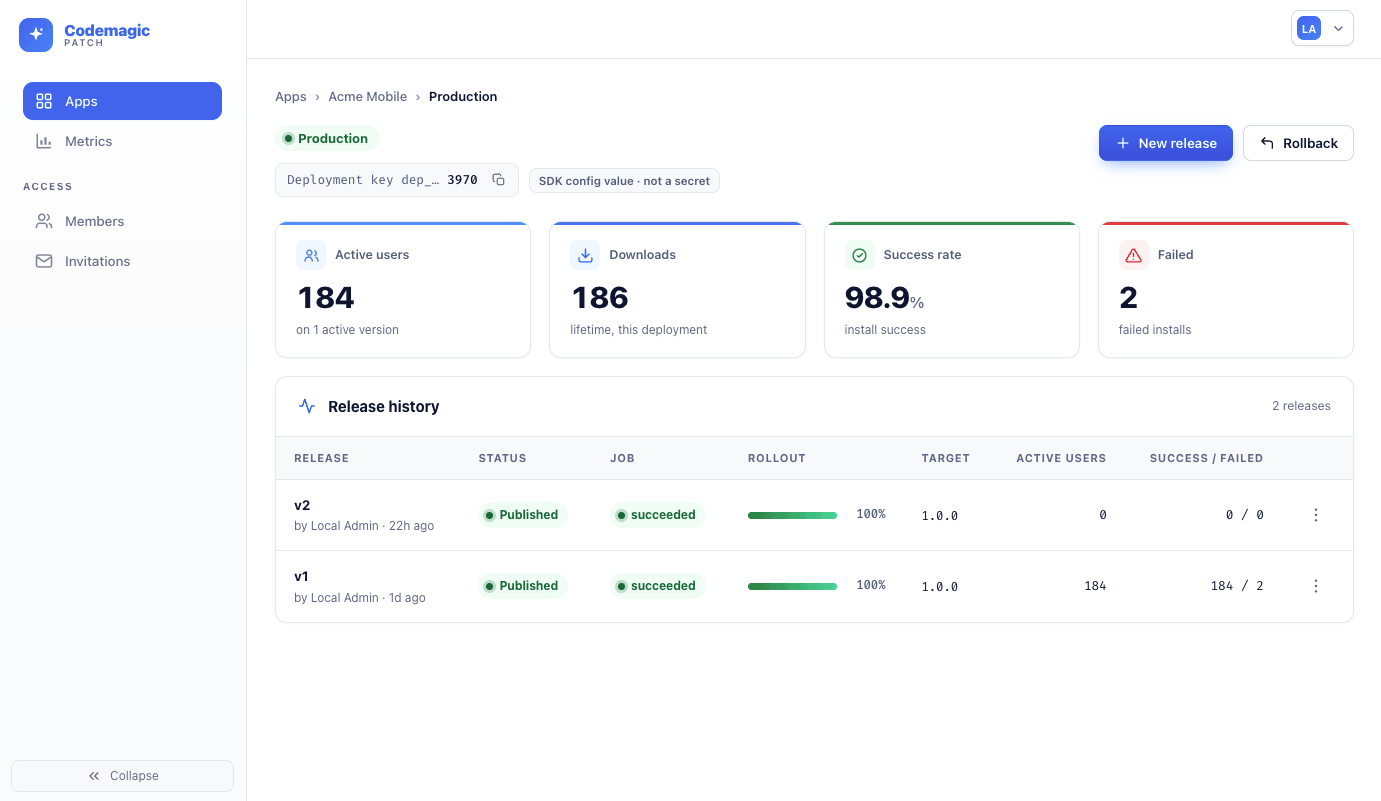
It also includes a team dashboard for monitoring and controlling releases, binary diffs for smaller downloads, fingerprinting to ensure compatability, and a simple install wizard.
The production path starts with the CLI:
npm install -g @codemagic/patch-cli
cmpatch selfhost install
How to self-host OTA updates for React Native covers what that looks like in practice. You’ll see how Patch can run for a large user base with just a cheap VM and free Cloudflare account.
Official references:
Self-hosted Expo Updates servers
If you need to stay on the expo-updates protocol, you can self-host with a third-party server.
Expo only open-sources the Updates SDK, not the server. Xprem is a popular option, which adds storage, CDN integration, and a web UI around the protocol.
The risk is Expo changing the updates SDK. A third-party server only works if it keeps pace with those changes, and you are the one running it.
Official references:
How to choose
Choose hosted Expo Updates if
- you are already on Expo and EAS
- you want the easiest setup
- you are fine with Expo’s pricing
- you do not need self-hosting
Choose a hosted CodePush alternative if
- you want someone else to run the service
- you already use CodePush, or want that style of SDK
- you do not want to run your own OTA server
- you want pricing that is easier to read than Expo’s usage bill
Choose Patch if
- you want to self-host instead of paying for a hosted OTA update server
- you want CDN delivery, binary diffs, and fingerprinting
- you want simple scaling, with architecture than handles huge user bases
- you might want developer support or managed hosting later
The practical takeaway
In 2026, the React Native OTA market is no longer dominated by a single default answer.
For hosted Expo teams, Expo Updates remains the obvious baseline and usually the simplest first choice. For teams that still want a managed CodePush-style workflow, hosted CodePush alternatives such as Revopush and Stallion exist. For self-hosted teams, Patch is the best modern option.
That is a better landscape than the App Center era, but the tools are not interchangeable. The mistake is treating them as if they were.
Pick based on the client you already use, whether you want to run the server, and what the bill looks like at your scale.
FAQ
Which React Native OTA tool should I use in 2026?
If you are already on Expo and EAS, start with hosted Expo Updates. If you want a hosted CodePush-style service, look at Revopush or Stallion. If you want to self-host, use Codemagic Patch.
How do I self-host an OTA update service for React Native?
Use Codemagic Patch. Install the CLI, then run the installer:
npm install -g @codemagic/patch-cli
cmpatch selfhost install
How to self-host OTA updates for React Native covers the rest.
What is the default hosted OTA option for Expo teams in 2026?
For teams already using Expo and EAS, hosted Expo Updates remains the default choice in 2026. It is Expo’s own hosted updates service, it fits the rest of EAS, and it is usually the easiest option if your app is already built around Expo. The trade off is paying for the conveience, with a bill that climbs with number of users.
Can Expo Updates be self-hosted?
Yes. Expo only open-sources the Updates SDK, not the server, so you need a third-party server such as Xprem. That server has to keep pace when Expo changes the SDK.
What happened to Microsoft CodePush?
Microsoft retired App Center, including the hosted CodePush service, on March 31, 2025. The standalone CodePush server repository still exists in archived form for self-hosting, and several hosted or community-maintained alternatives now target CodePush compatibility.
What is a good self-hosted OTA option for React Native in 2026?
Codemagic Patch. Run npm install -g @codemagic/patch-cli, then cmpatch selfhost install.
Do these React Native OTA tools work with the New Architecture?
Yes. Hosted Expo Updates uses expo-updates, which supports the New Architecture. Patch, Revopush, and Stallion support it from React Native 0.76. The original Microsoft CodePush client did not.