



There is a reasonable suspicion about over-the-air updates: that they ship code which has not been through the QA a store release gets. A store build is linted, tested and built on a clean machine from a known commit. An OTA push often comes from someone’s laptop.
The fix is not to avoid OTA. It is to send OTA updates through the same pipeline, with the same gates. Then a failed test stops an update exactly as it stops a store build.
Everything below comes from a real run: React Native 0.87.1, SDK 0.6.0, CLI 0.9.0, and a self-hosted Patch server.
The pipeline
name: OTA release to Staging

on:
  push:
    branches: [main]

jobs:
  publish:
    runs-on: ubuntu-latest
    env:
      CODEMAGIC_PATCH_SERVER_URL: https://patch.example.com
      CODEMAGIC_PATCH_TOKEN: ${{ secrets.CODEMAGIC_PATCH_TOKEN }}
      PATCH_APP: MyApp-iOS
      PATCH_DEPLOYMENT: Staging
    steps:
      - uses: actions/checkout@v4
      - uses: actions/setup-node@v4
        with:
          node-version: 22
      - name: Install dependencies
        run: npm ci
      - name: Lint
        run: npm run lint
      - name: Unit tests
        run: npm test
      - name: Install the Patch CLI
        run: npm install -g @codemagic/patch-cli
      - name: Preflight
        run: |
          cmpatch doctor --app "$PATCH_APP" --deployment "$PATCH_DEPLOYMENT" \
            --platform ios --token "$CODEMAGIC_PATCH_TOKEN" --non-interactive
      - name: What would ship
        run: |
          cmpatch release-react --app "$PATCH_APP" --deployment "$PATCH_DEPLOYMENT" \
            --platform ios --token "$CODEMAGIC_PATCH_TOKEN" --dry-run --non-interactive
      - name: Publish the OTA update
        run: |
          cmpatch release-react --app "$PATCH_APP" --deployment "$PATCH_DEPLOYMENT" \
            --platform ios --token "$CODEMAGIC_PATCH_TOKEN" \
            --release-notes "$(git log -1 --pretty=%s)" \
            --yes --non-interactive
A failed step stops the job, so publishing only happens if everything above it passed. The same commands run on Codemagic. Nothing in them is specific to one CI.
Use a token, not a browser. cmpatch login opens a browser. In CI, create a token with cmpatch token create --name ci-pipeline, store it as a secret, and pass --token.
Never wait for input. --yes confirms the release. --non-interactive makes any prompt fail instead of hanging a job nobody is watching.
Take the release note from the commit. Our first release shipped with blank notes, because Codemagic’s CM_COMMIT_MESSAGE was empty. This workflow uses the commit subject. On a squash merge that subject is the pull request title.
Preflight earns its place. Our first run failed at doctor, because the app’s Info.plist still pointed at an old server and deployment key. A device built from it would never have received the update.
The dry run prints what would ship without uploading it (trimmed):
{
  "dryRun": true,
  "fingerprint": "d03e95481074159d7e6f8d6c007ae5b35bb98431",
  "platform": "ios",
  "publicationSafety": {
    "duplicateRelease": "block",
    "fingerprintMismatch": "block"
  },
  "targetBinaryVersion": "1.0",
  "uploadSkipped": true
}
targetBinaryVersion is the store version the update is for, read from CFBundleShortVersionString or versionName. If your project does not resolve to one version, pass --target-binary-version yourself, because a wrong value sends the update to the wrong installs.
A test that blocked a real release
A stock Jest setup fails before any test runs. The SDK ships TypeScript and loads a native module at import, so allow @codemagic through the transform and use the setup file the package provides:
module.exports = {
  preset: '@react-native/jest-preset',
  setupFiles: ['@codemagic/react-native-patch/jest-setup'],
  transformIgnorePatterns: [
    'node_modules/(?!((jest-)?react-native|@react-native(-community)?|@codemagic)/)',
  ],
};
The test that matters most covers a device where v8 already failed to install, while the server still offers v8. Seed the device with installPatchFake, then load the SDK with loadSdk. The order matters, because the SDK reads device state once, when it loads:
import { installPatchFake, loadSdk } from '@codemagic/react-native-patch/jest';

it('declines to reinstall a release that already failed here', async () => {
  installPatchFake({
    running: { label: 'v7' },
    failedInstall: { label: 'v8' },
    server: { release: { label: 'v8' } },
  });
  const Patch = await loadSdk();

  const check = await Patch.checkForUpdate();
  if (check.action !== 'ota-update') {
    throw new Error(`expected ota-update, got ${check.action}`);
  }
  expect(check.remotePackage.previouslyFailed).toBe(true);

  await expect(Patch.sync()).resolves.toBe('up-to-date');
  await expect(Patch.getRunningBundleUpdateMetadata()).resolves.toMatchObject({
    label: 'v7',
  });
});
checkForUpdate() reports an update, and sync() declines to install it. That is the right default. But a banner driven only by checkForUpdate() tells this user to restart for an update that will never arrive. Check previouslyFailed before you show one. The testing guide covers the other device states.
We broke that assertion on main so it expected update-installed, then let the pipeline run:
[success] Install dependencies
[success] Lint
[failed]  Unit tests      Expected: "update-installed"  Received: "up-to-date"
[skipped] Install the Patch CLI
[skipped] Preflight
[skipped] What would ship
[skipped] Publish the OTA update
The proof is in what a device would fetch. The manifest in storage was still byte-identical to v1, and the server logged no request from that build at all. Restoring the test, together with a one-line change in App.tsx, published v2.
What the server enforces anyway
Tests cannot catch a JavaScript bundle that is incompatible with the native binary it lands on. Patch records a fingerprint of the native project for each binary version, and it refuses a release whose fingerprint differs:
Fingerprint disagreement (409)
release fingerprint a5180c4651cc… differs from the fingerprint d03e95481074…
recorded for binary version 1.0 in this deployment; devices on this binary
version may be native-incompatible with this update

Hint: Re-run with --allow-fingerprint-mismatch after verifying the installed
and release fingerprints.
The check happens after bundling and before the upload commits. Nothing was stored, and the manifest did not move. --yes does not override this check. Only --allow-fingerprint-mismatch does, and someone should use it deliberately.
Podfile.lock is an input to the fingerprint, and Pods/ is not:
with Podfile.lock:     d03e95481074159d7e6f8d6c007ae5b35bb98431
without Podfile.lock:  31bb27373b6da31255435cb1631faf378b6d20c5
Commit Podfile.lock and do not let CI regenerate it. Then CI and your laptop produce the same fingerprint.
How big an update is
That App.tsx line is what v2 changed. A device already running v1 downloads a binary patch instead of the full bundle:
| Artifact | Bytes |
|---|---|
Full bundle (bundle.tar.zst) | 704,235 |
| Binary patch, v1 to v2 | 1,982 |
meta.json | 31 |
That is 0.28% of the bundle. It is not smaller still because the bundle is Hermes bytecode: changing one string shifts bytes throughout the file. A new import, an asset, or a shift in module ids can make the diff much larger than the edit. A device coming off the store binary has nothing to diff against, so it takes the full bundle.
The last gate should be a person
CI publishes to Staging. Promoting to Production is a separate, deliberate step:
cmpatch release promote --app MyApp-iOS \
  --source-deployment Staging --dest-deployment Production --label v2 --yes
Release labels are per-deployment counters. Promoting Staging v2 created Production v1, with the same package hash. To check whether two deployments run the same build, compare target_package_hash, not the label. Controlled rollouts in React Native covers what happens after promotion.
After it ships
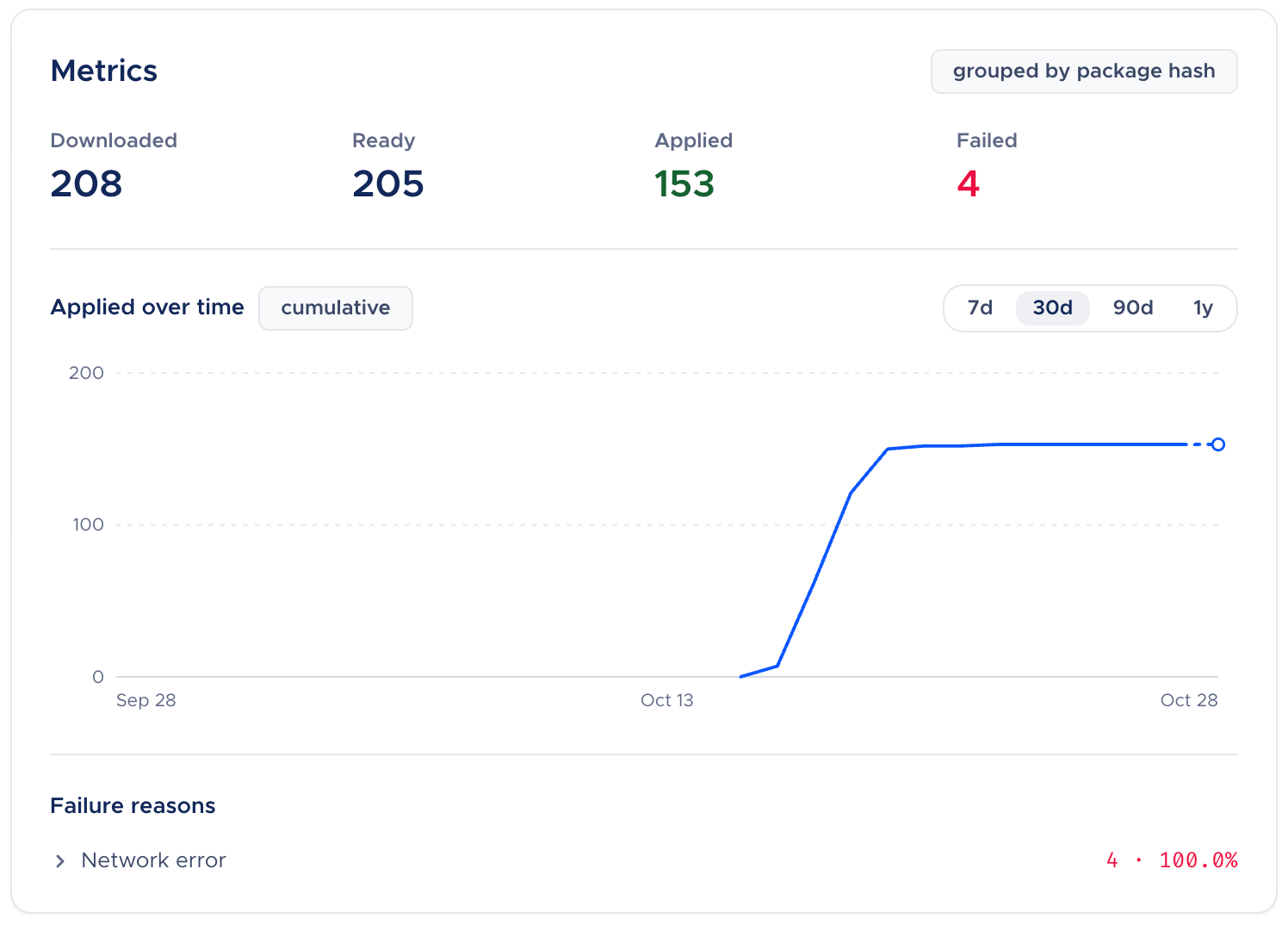
Each release has counters (ACTIVE, DOWNLOADED, READY, FAILED, APPLIED), which you can read on the dashboard or from the CLI:
cmpatch deployment metrics    --app MyApp-iOS --deployment Production
cmpatch deployment failures   --app MyApp-iOS --deployment Production --reason network
Ours read zero, because no real device ever contacted this server.
The bundle is minified. Without a source map, Sentry or Datadog shows a wall of names and cannot tell which OTA release a device had installed. Have the bundler write a map when you publish, then upload it to your tool.
cmpatch release-react \
  --app MyApp-iOS \
  --deployment Staging \
  --platform ios \
  --sourcemap-output ./build/main.jsbundle.map \
  --yes

# Separate step: your crash tool's CLI, not cmpatch
npx @sentry/cli sourcemaps upload ./build/main.jsbundle.map
# Add whatever release, dist, and auth flags your Sentry setup uses.
Datadog uses its own upload in that same step. The monitoring docs cover both.
What this settles
OTA updates are not safe on their own. What this pipeline does is remove the gap in rigour between an OTA update and a store release: the same commit, tests and clean machine, plus a server check the pipeline cannot wave through and a person in front of Production. After that, “OTA is lower quality” describes a pipeline problem, which you already know how to fix.
Want to try Patch?
Patch is self-hostable. patch.codemagic.io has the docs, a local evaluation stack, and an install wizard that sets up a server in under twenty minutes.
Frequently Asked Questions
Does publishing an OTA update need a Mac?
No. Publishing does not open Xcode. The workflow above runs on ubuntu-latest. The measured run also used a Mac, because Codemagic’s free plan offers only macOS machines.
Can I show which update is waiting for a restart?
isNextVersionReady() returns a boolean, and no API reports the staged label. There is no counterpart to CodePush’s getUpdateMetadata(PENDING). If you need the label, take it from checkForUpdate() before you install.
Why do my CI and local fingerprints differ?
Podfile.lock is an input to the fingerprint, and Pods/ is not. Commit Podfile.lock, and do not let CI regenerate it.